
Appearance
GPT Image 2 提示词完全教程:从入门到精通,附10个实战案例与效果图
更新时间:2026年4月 | 10个实战案例 · 每个附完整Prompt + 效果图
GPT Image 2 是 OpenAI 于2026年推出的最新图片生成模型,相比前代产品有了质的飞跃——文字渲染精准、画面真实度极高、构图控制灵活。无论是摄影级人像、商业海报、产品图还是 UI 设计稿,GPT Image 2 都能高质量完成。
但好图的关键在于好的提示词(Prompt)。 本文从零开始教你编写 GPT Image 2 提示词,并附上 10个精选实战案例,每个都有完整 Prompt 和真实生成效果图,直接复制即可使用。
在哪里使用 GPT Image 2?
一、GPT Image 2 提示词基础框架
一个高质量的 GPT Image 2 提示词通常包含以下 6 个核心要素:
| 要素 | 说明 | 示例 |
|---|---|---|
| 📷 风格/技术 | 摄影风格、画面质感 | 35mm film photography, cinematic, watercolor |
| 👤 主体 | 画面中的人物/物体 | young woman, coffee cup, city skyline |
| 🎭 姿态/动作 | 主体的状态 | looking at camera, mid-action, placed upright |
| 💡 光线 | 光照条件和氛围 | soft natural window light, neon signs, golden hour |
| 🖼️ 构图 | 画面布局和比例 | 9:16 vertical, close-up, 3x3 grid collage |
| 🎨 色调/后期 | 色彩和滤镜效果 | pastel tones, high contrast, film grain |
提示词模板公式
[比例/尺寸] + [风格/技术] + [光线条件] + [主体描述] + [姿态/表情] + [场景/背景] + [色调/后期效果]重要技巧
- 越具体越好:不要写"一个女孩",要写"一个20岁出头的东亚女性,自然妆容,皮肤质感真实"
- 英文效果更好:GPT Image 2 对英文提示词的理解更精准,建议使用英文
- 指定画幅比例:在提示词开头加上
9:16 vertical或16:9 horizontal可以控制输出比例 - 描述"不要什么":比如
no retouching, no smoothing可以让画面更真实
二、人像摄影类提示词
人像摄影是 GPT Image 2 最擅长的领域之一。关键是描述清楚 拍摄技术 + 光线 + 人物细节。
案例1:便利店霓虹灯人像
这个提示词模拟了 35mm 胶片在便利店灯光下的拍摄效果,色彩丰富、氛围感极强。
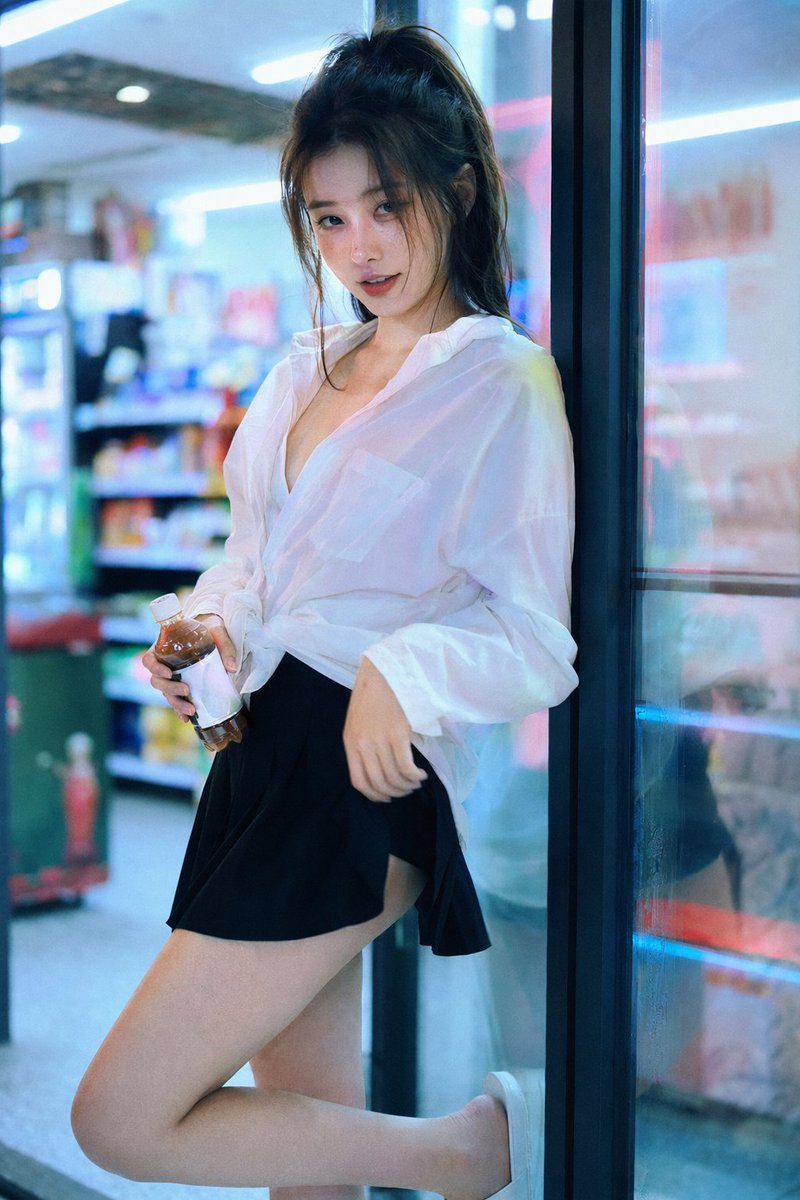
完整提示词:
text
35mm film photography with harsh convenience store fluorescent
lighting mixed with colorful neon signs from outside, authentic
film grain, high contrast, slight color cast, cinematic street
editorial style, intimate medium shot, early 20s sexy Chinese
female idol with ultra-realistic delicate refined features,
natural skin texture with pores and subtle imperfections visible,
minimal fresh makeup, straight black hair
提示词拆解:
35mm film photography→ 指定胶片摄影风格harsh convenience store fluorescent lighting mixed with colorful neon signs→ 混合光源营造氛围authentic film grain, high contrast, slight color cast→ 胶片质感后期效果intimate medium shot→ 构图:亲密中景ultra-realistic delicate refined features, natural skin texture with pores→ 强调真实感
案例2:电影感极简人像
极简风格的人像,通过强烈的剪影光和渐变背景营造电影质感。
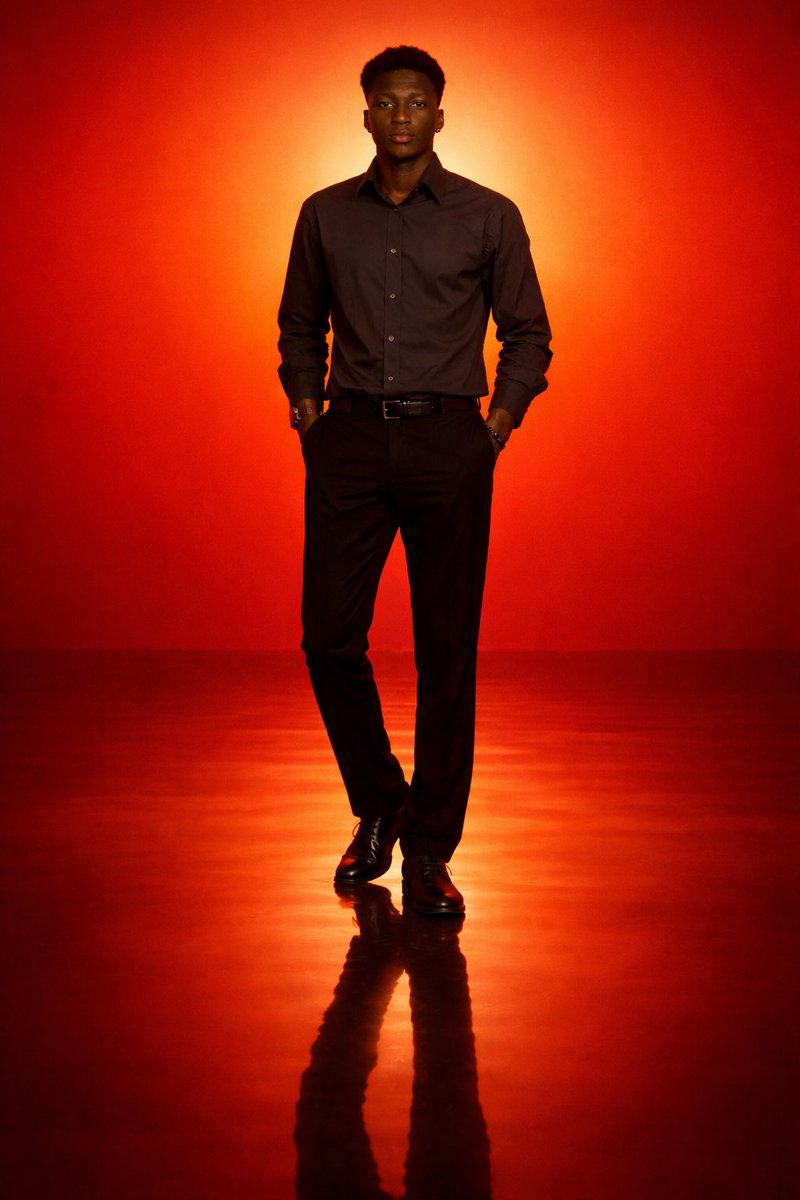
完整提示词:
text
Generate a cinematic minimal portrait of a solitary man standing
in an intense orange to red gradient environment, strong silhouette
lighting, deep shadow contrast, reflective glossy floor, symmetrical
composition, minimal background
提示词拆解:
cinematic minimal portrait→ 风格定义:电影感 + 极简intense orange to red gradient environment→ 渐变色彩环境strong silhouette lighting, deep shadow contrast→ 剪影光 + 强对比reflective glossy floor→ 反射地面增加层次symmetrical composition→ 对称构图
案例3:日系柔光 35mm 胶片人像
模拟日系 Fujifilm 胶片的柔和色调,适合清新风格的人像拍摄。
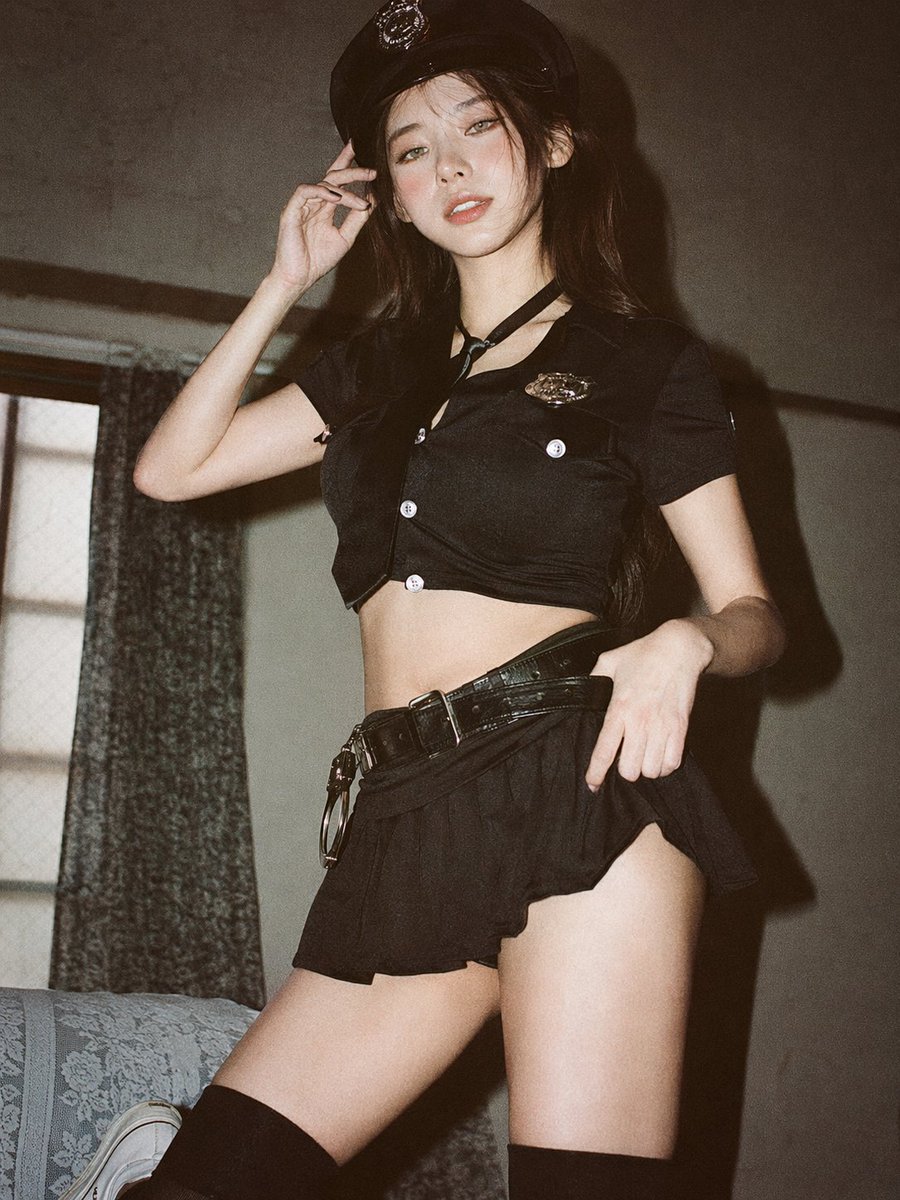
完整提示词:
text
Analog 35mm film photography, soft airy Japanese-style aesthetic,
gentle diffused natural window light, slight overexposure, pastel
tones, low contrast, soft highlights, minimal indoor setting near
a window with white curtains, clean light-colored wall, natural
composition, eye-level, slightly closer full-body framing
(mid-thigh to head), young East Asian woman, natural minimal
makeup, soft realistic skin texture
提示词拆解:
Analog 35mm film photography, soft airy Japanese-style aesthetic→ 日系胶片风格gentle diffused natural window light, slight overexposure→ 窗户散射光 + 微过曝pastel tones, low contrast, soft highlights→ 柔和色调natural minimal makeup, soft realistic skin texture→ 自然妆容,真实皮肤
案例4:奢华时尚美妆人像
适合时尚杂志风格的人像,通过关键词叠加营造高端质感。
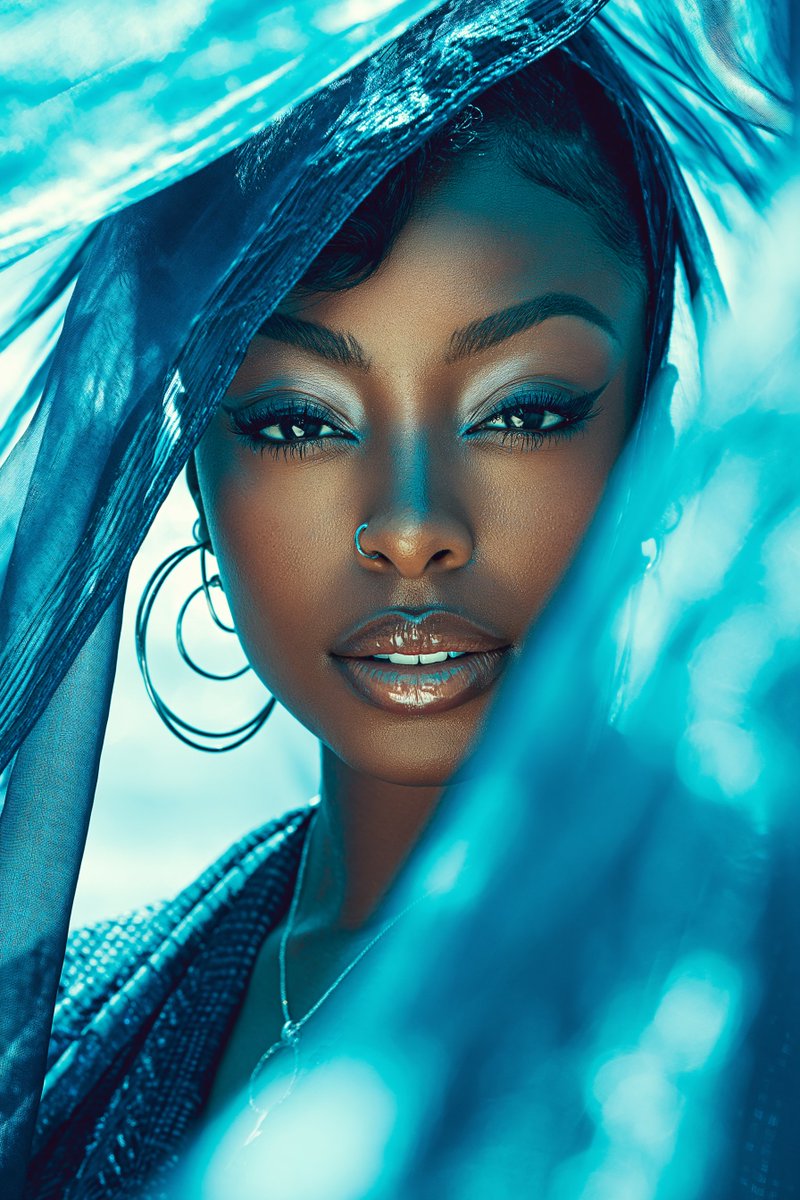
完整提示词:
text
Luxury Glam Beauty Portrait: Beautiful Black woman, youthful
spirit, creamy vanilla, silk press, mahogany red, subtle confidence,
textured fabric, sapphire blue, minimal jewelry, beachside breeze,
lens flare effect, nostalgic, cinematic lens, symmetrical composition,
soft focus, high fashion photography, editorial lighting
提示词拆解:
Luxury Glam Beauty Portrait→ 开头直接定义风格creamy vanilla, mahogany red, sapphire blue→ 用具体色彩名称控制色调silk press, textured fabric→ 材质描述增加画面细节lens flare effect, cinematic lens→ 模拟相机镜头效果high fashion photography, editorial lighting→ 时尚大片打光
三、海报设计类提示词
GPT Image 2 可以直接生成专业级的海报设计,包括排版、文字和配色。
案例5:城市宣传海报
模拟旅游宣传海报风格,融合城市地标元素和精致排版。
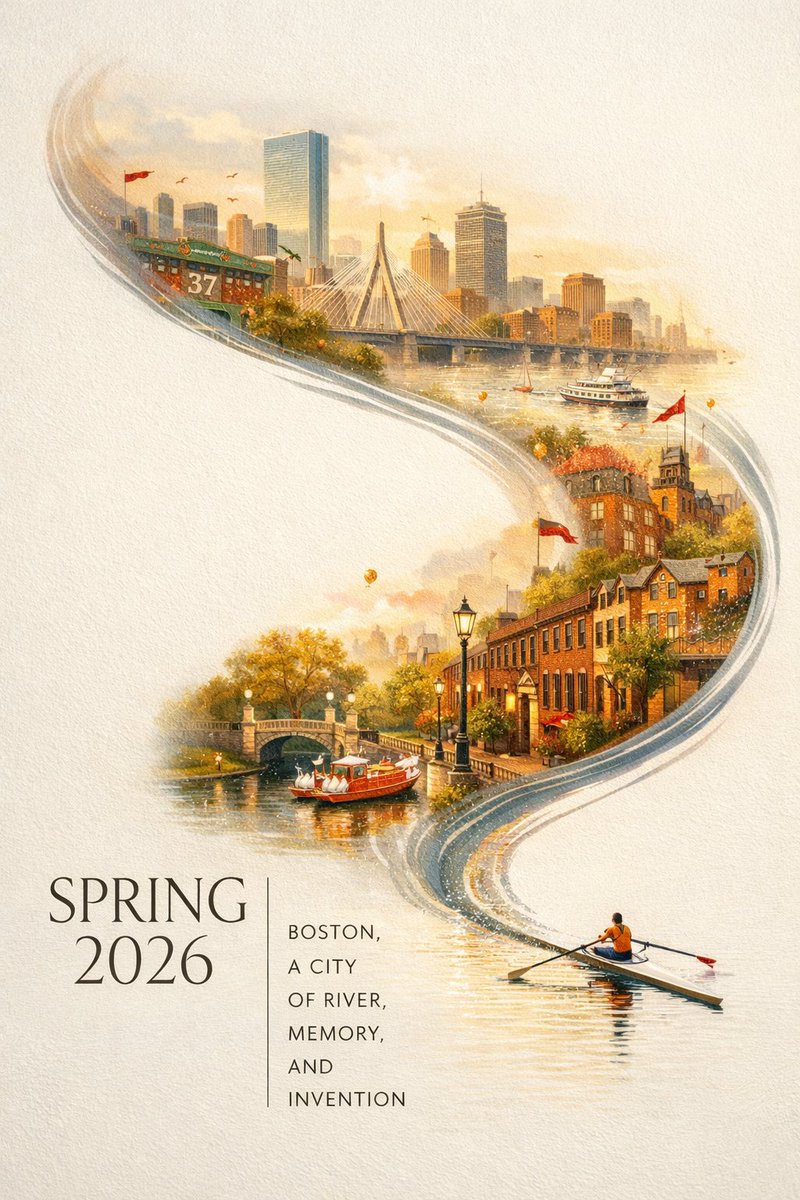
完整提示词:
text
A striking Spring 2026 city poster for Boston with an elegant
celebratory mood and a bold contemporary design. On a clean
off-white textured background with large areas of negative space,
a miniature 3D cityscape of Boston's iconic landmarks sits at the
bottom center. Delicate cherry blossom branches frame the left and
right edges. The main title "BOSTON" appears in a modern serif
typeface, vertically arranged on the right. Smaller bilingual
subtitles and event details are placed with generous kerning.
提示词拆解:
striking Spring 2026 city poster→ 海报类型定义clean off-white textured background with large areas of negative space→ 留白设计miniature 3D cityscape of Boston's iconic landmarks→ 微缩3D城市模型modern serif typeface, vertically arranged→ 字体和排列方式bilingual subtitles, generous kerning→ 排版细节
案例6:科普百科信息海报
适合知识类图文内容,GPT Image 2 能生成带有大量文字和图解的信息海报。
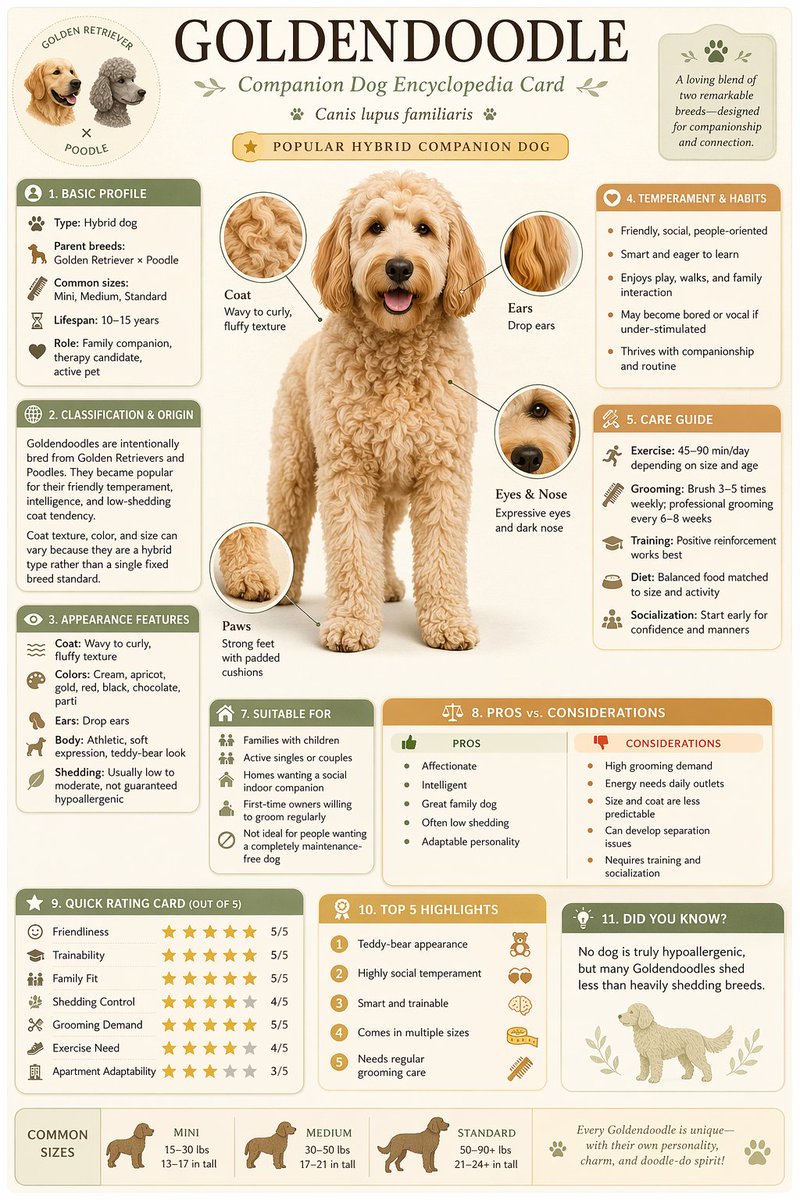
完整提示词:
text
Generate a high-quality vertical science popularization encyclopedia
image based on [Theme]. Visual style: modern infographic-museum
plate hybrid. Include: scientific illustration, labeled anatomy,
classification chart, habitat information, collection card,
behavioral pattern, key statistics summary. Layout: multi-section
structured grid with clear headings and consistent color coding.
万能模板提示: 将 [Theme] 替换为任何主题(如"深海鱼类"、"太阳系行星"),即可生成对应的科普海报。这个模板非常适合做教育类内容。
案例7:产品商业摄影
模拟专业产品摄影棚效果,适合电商产品主图。
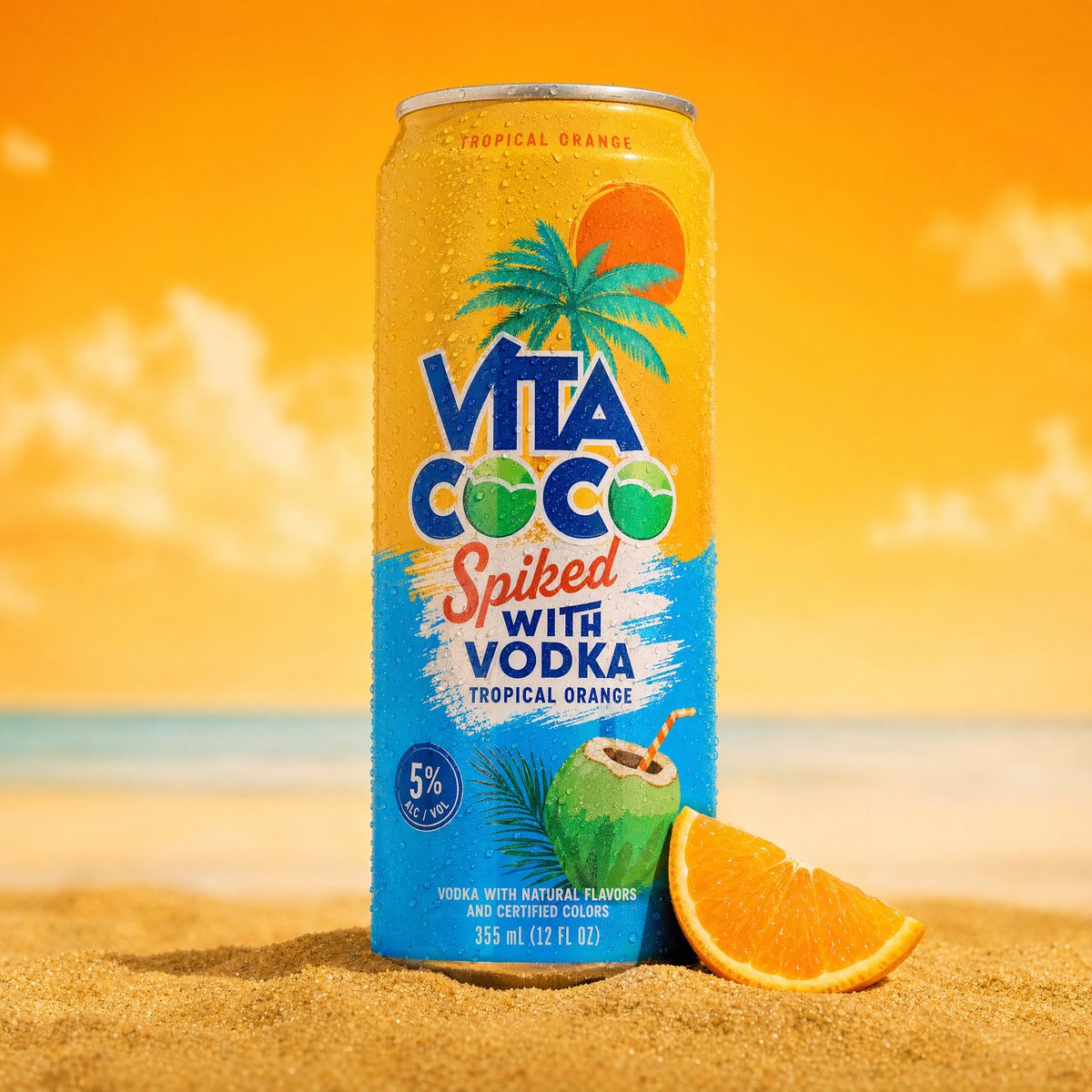
完整提示词:
text
A professional product photography shot of a cold sparkling water
can placed upright in golden beach sand. The can is silver and teal,
covered in realistic water droplets condensation, with a pineapple
and coconut illustration on the label. Background: tropical beach
at golden hour, turquoise ocean, palm trees silhouetted against
warm sunset sky. Style: commercial beverage advertisement, vibrant
colors, hyper-realistic rendering.
提示词拆解:
professional product photography shot→ 产品摄影风格covered in realistic water droplets condensation→ 冰镇效果细节golden beach sand, tropical beach at golden hour→ 场景氛围commercial beverage advertisement, hyper-realistic rendering→ 商业广告级品质
四、UI 设计与场景模拟类提示词
GPT Image 2 在 UI 界面设计和场景模拟方面表现惊艳。
案例8:苹果发布会现场照片
可以模拟一张"偷拍"发布会现场的手机照片,逼真到以假乱真。
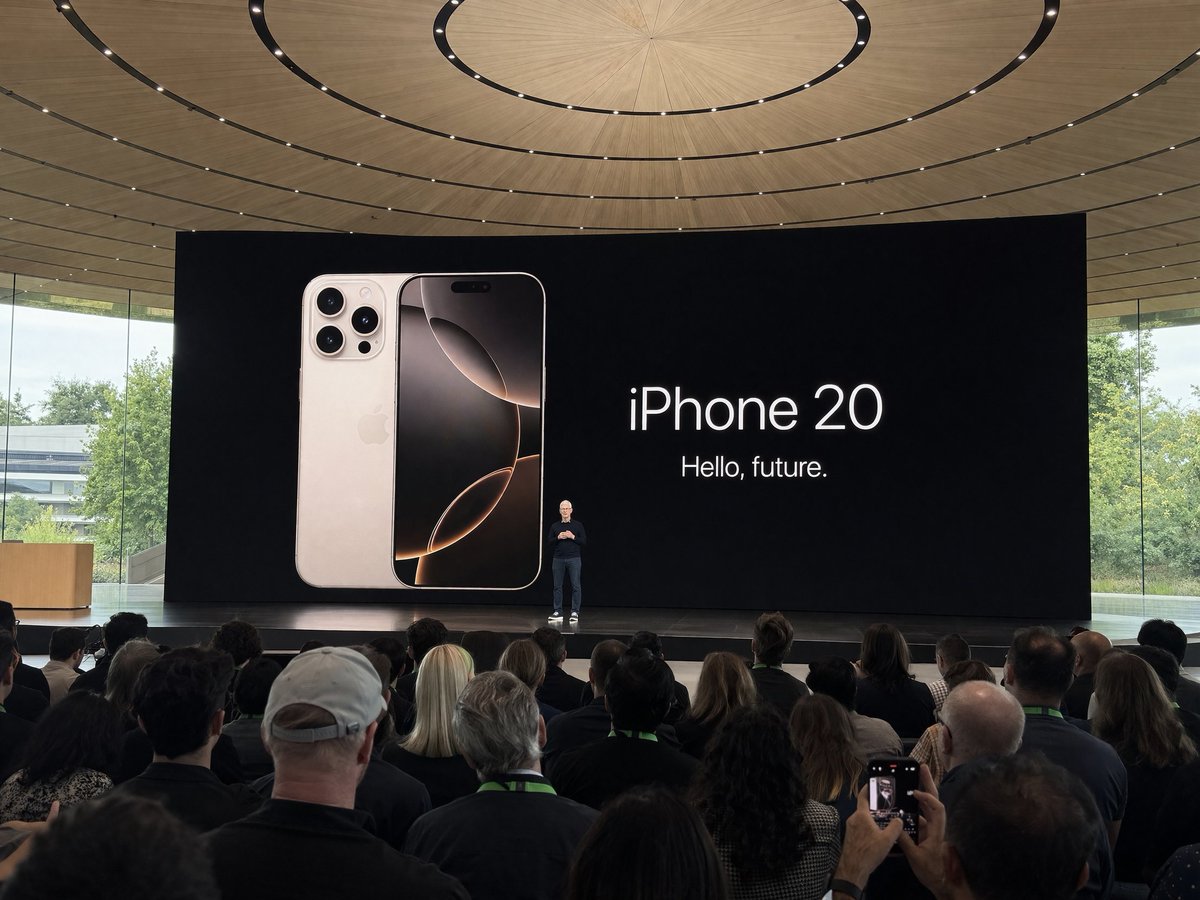
完整提示词:
text
Amateur iPhone photo at Apple Park during the iPhone 20 keynote,
Tim Cook presenting on stage. Shot from the crowd at a distance,
slightly blurry, natural smartphone camera quality, audience heads
visible in foreground, large presentation screen showing new iPhone
design, warm stage lighting, realistic crowd atmosphere
提示词拆解:
Amateur iPhone photo→ 非专业拍摄质感Shot from the crowd at a distance, slightly blurry→ 远距离拍摄 + 轻微模糊natural smartphone camera quality→ 手机摄像头画质audience heads visible in foreground→ 前景人群增加真实感
案例9:手写笔记本照片
模拟真实的手写笔记照片,适合做读书笔记、学习场景等内容。
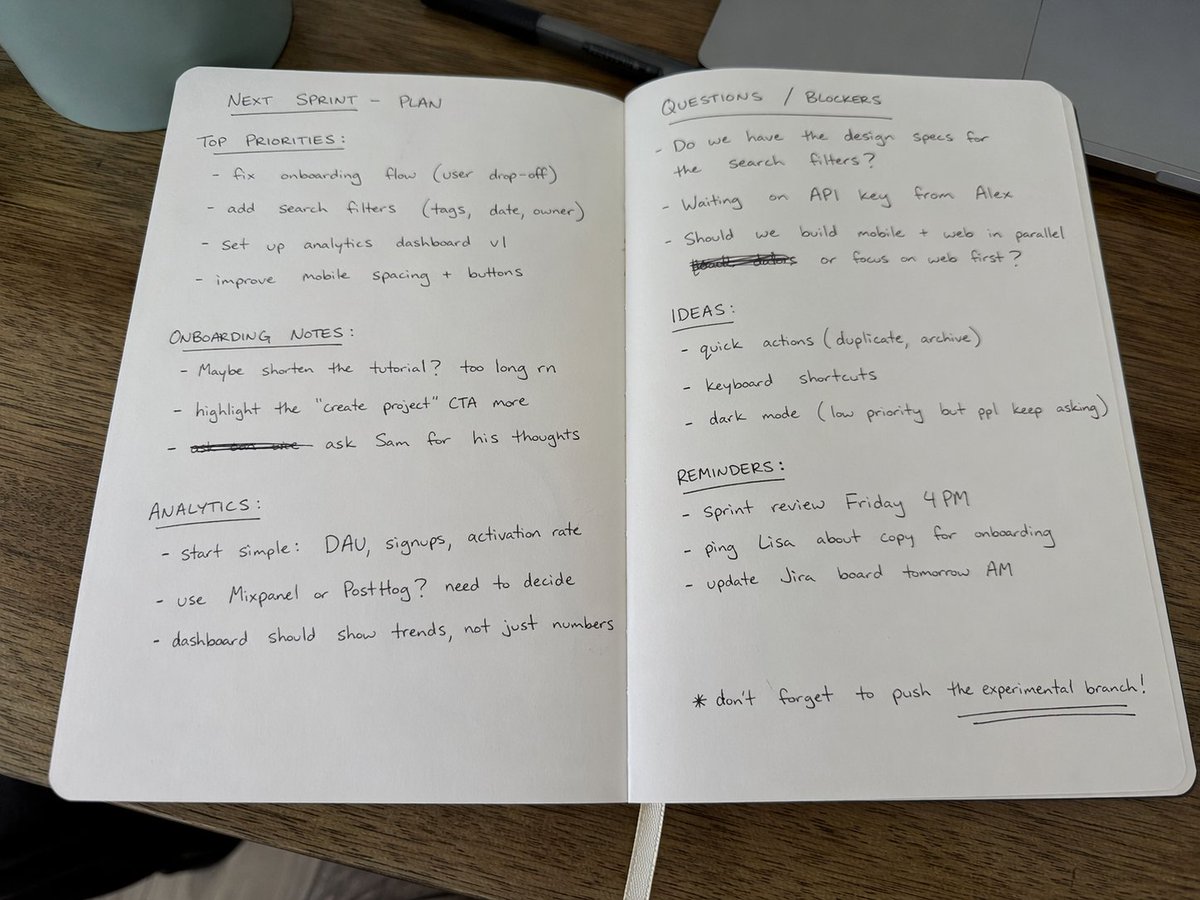
完整提示词:
text
Amateur photo of an open notebook lying flat, filled with handwritten
notes in black ballpoint pen. The handwriting is casual and slightly
messy, like personal notes, natural imperfections, crossed out words,
arrows, underlines, margin notes. Soft natural light from the side,
slightly warm tone, wooden desk surface visible, realistic paper
texture and pen pressure variations
提示词拆解:
Amateur photo of an open notebook lying flat→ 业余照片 + 平放笔记本casual and slightly messy, like personal notes→ 随意的手写风格natural imperfections, crossed out words, arrows, underlines→ 真实细节:划掉的字、箭头、下划线realistic paper texture and pen pressure variations→ 纸张质感和笔压变化
案例10:SaaS 产品 Dashboard UI
直接生成专业级的 SaaS 产品界面设计稿,包含数据图表和交互元素。

完整提示词:
text
A hyper-realistic UI/UX mockup displayed on a slim modern laptop
placed on a minimal wooden desk with soft natural daylight. The
screen shows a clean SaaS dashboard with elegant typography,
glassmorphism cards, data visualization charts, sidebar navigation,
and a dark mode color scheme. Subtle shadows, realistic screen
reflections, professional workspace aesthetic
提示词拆解:
hyper-realistic UI/UX mockup displayed on a slim modern laptop→ 笔记本上的真实UI效果图clean SaaS dashboard with elegant typography→ SaaS面板 + 精致排版glassmorphism cards, data visualization charts→ 毛玻璃卡片 + 数据可视化dark mode color scheme→ 深色模式realistic screen reflections, professional workspace aesthetic→ 屏幕反光 + 专业办公桌面
五、高级技巧:让你的Prompt更上一层楼
1. 使用 JSON 结构化提示词
对于复杂场景,可以使用 JSON 格式组织提示词,让 GPT Image 2 更精确理解:
json
{
  "prompt": {
    "style_and_tech": "mobile phone photo, old CCD camera aesthetic,
                       harsh flash, grainy, dim indoor lighting",
    "subject": "young Korean female idol, soft innocent look",
    "pose": "mid-action, slightly turning head toward camera",
    "expression": "eyes wide, natural surprise",
    "outfit": "oversized vintage hoodie, casual",
    "background": "messy bedroom, warm string lights",
    "mood": "candid, intimate, nostalgic"
  }
}
2. 九宫格一致性提示词
想让9张图保持同一人物的一致性?加上这个关键指令:
text
9:16 vertical, a 3x3 grid collage (nine images),
same person in all images, maintaining 100% consistency
in facial features, proportions, hairstyle, and identity
across all nine shots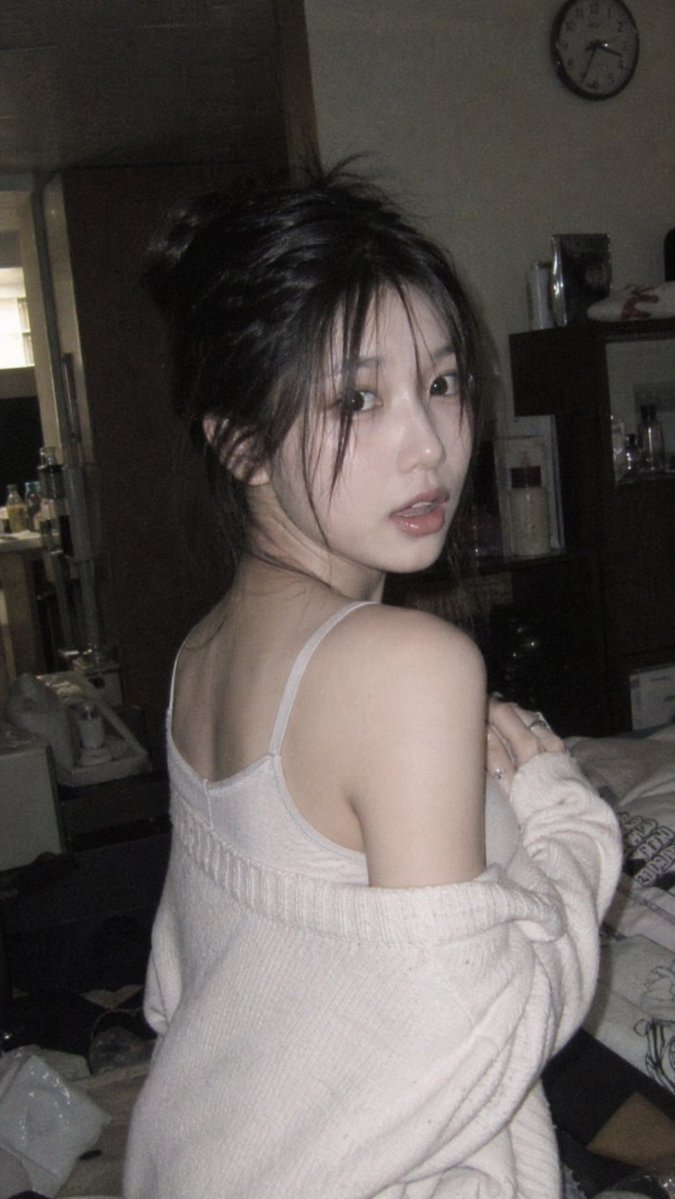
3. 滤镜效果关键词速查表
| 效果 | 关键词 |
|---|---|
| 胶片感 | film grain, analog, 35mm, Fujifilm aesthetic |
| 柔焦 | soft black mist filter, gentle highlight bloom, subtle haze |
| 复古 | vintage, faded colors, retro color palette |
| 电影感 | cinematic, anamorphic lens, film color grading |
| 高级感 | editorial lighting, high fashion, luxury |
| 日系 | Japanese-style aesthetic, pastel tones, overexposure |
| 赛博朋克 | cyberpunk, neon lights, dark futuristic |
| 水彩 | watercolor, gouache textures, soft poetic |
4. 构图控制关键词
| 构图方式 | 关键词 |
|---|---|
| 竖版全屏 | 9:16 vertical |
| 横版宽幅 | 16:9 horizontal, widescreen |
| 特写 | close-up, macro shot |
| 中景 | medium shot, mid-body framing |
| 全身 | full-body framing, head to toe |
| 对称 | symmetrical composition |
| 留白 | large areas of negative space |
| 鸟瞰 | bird's eye view, top-down |
| 低角度 | low-angle, worm's eye view |
5. 提示词"增强"词汇
当你觉得生成效果不够精致时,可以在提示词末尾加上这些增强词:
text
hyper-realistic, ultra-detailed, 8K resolution, professional
quality, award-winning photography, masterpiece quality
六、常见问题 FAQ
GPT Image 2 和 DALL-E 3 有什么区别?
GPT Image 2 是 OpenAI 2026年最新的图像生成模型,相比 DALL-E 3 在以下方面大幅提升:
- 文字渲染:能正确渲染中英文文字,几乎没有错字
- 人像真实度:皮肤纹理、表情细节更加逼真
- 构图控制:对排版、留白、对称等构图指令理解更精准
- 风格一致性:同一提示词多次生成的风格更稳定
中文提示词可以用吗?
可以,但 英文效果通常更好。建议对关键的风格、技术参数用英文描述,场景内容可以用中文辅助。如果你不熟悉英文,可以先用中文写好需求,再让 ChatGPT 帮你翻译成英文 Prompt。
生成的图片可以商用吗?
根据 OpenAI 的使用条款,通过 ChatGPT/API 生成的图片归用户所有,可以用于商业用途。但建议在正式商用前仔细阅读最新的 OpenAI使用条款。
一张图不满意怎么优化?
GPT Image 2 支持图片编辑(Edit)模式:上传一张已生成的图片,然后用文字描述你想修改的部分,比如"把背景换成海滩"或"让她微笑"。这种迭代式优化效果非常好。
在哪里可以使用 GPT Image 2?
国内用户可以通过以下平台使用 GPT Image 2,无需翻墙:
七、总结:高质量 Prompt 的核心原则
- 具体优于模糊:每个细节都明确描述,不留歧义
- 分层组织:按风格→主体→光线→构图→后期的顺序编写
- 善用参考:提及具体相机型号(35mm、Fujifilm)、杂志风格(Vogue editorial)等
- 控制变量:一次只调整一个元素,逐步优化
- 学会"否定":用
no smoothing,no retouching等告诉AI不要做什么 - 多试几次:同一提示词多次生成,选择最佳结果
开始你的AI创作之旅
想要体验 GPT Image 2 的强大图片生成能力?
在对话框中直接输入提示词,或者发送一张参考图让 AI 帮你创作!
本文提示词案例参考自开源项目 awesome-gpt-image-2-prompts,图片由 GPT Image 2 模型生成。